

Images are immensely useful tools to communicate, whether using them online or sharing them in an email. Having said that, understanding a few things about image files and their sizes will help you to use these images more effectively. We’ve put together this guide to make it easier for you to put images to their proper use.
Does Size Matter?
In a word, yes. File size can potentially make your images more challenging to use in emails and on your website alike, as a file that is too large could take up too much space. With most email attachments limited to 10MB, with Gmail offering 25MB, images can easily exceed that size limit.
This can be an even bigger problem on your website. Not only could large file sizes slow down your website, but they can also easily create excessive demands for those on limited data plans.
That’s why we’re discussing how to properly minimize these files sizes, without impacting your image quality too much.
Rule One of Digital Images: Keep the Original Image
Whenever you resize an image, we cannot overstate the importance of keeping a copy of the original. After all, scaling an image up is no easy feat. Make sure you retain a master copy just in case you need to take a few steps back. This leads us to our next big rule:
Rule Two of Digital Images: You Can Scale Down, But Not Up
Seriously… scaling an image down is easy. Scaling an image up is challenging, and often not possible. Any image you make larger won’t have any detail added to it. Rather, it will just become blurry.
Consider this relatively small image of a florist’s boutique:

While this is a very nice photo, this version simply will not do for an upsized application, like a Facebook cover image or a website banner. All the small details aren’t going to look any better if the image size is increased:

While our image still looked pretty sharp when it was small, it’s really hard on the eyes once scaled up.
While this case is admittedly extreme, and you might—might—be able to scale such an image up a little bit, it is generally best to work with a larger image than you need and make it smaller.
The key difference is the medium upon which the image is stored. With film, all the detail you see in the final image is present in the film’s negative, allowing you to blow it up to your heart’s desire. Digital imagery doesn’t quite work that way, so once an image has been scaled down, it can’t really be reversed.
Therefore, we recommend that you always retain the largest version you have of a given image, as it will ultimately leave the most options open to you. For photography buffs, this means the RAW format that the higher end digital cameras use. These massive RAW images are kind of like the film negative of a photograph and aren’t often used online or shared without purpose.
Having said that, you likely won’t run into many RAW format images unless you’re a digital photographer… but the subject does lead us into the next section.
“Working” Image Formats
In addition to the original version of your image, it is also wise to retain the “working “ image formats.
“Working” formats are those that you actively work on as you are editing your graphics. Let’s say you’re working on an image in Adobe Photoshop. If you only save your image as a JPEG or a PNG, your image will be flattened and remove your capability of editing separate layers. As a result, going back and editing further becomes much more challenging.
This is why many graphic designers have made a habit out of saving any project as a PSD first, before saving their work in any other format.
Which Image Format Should I Choose?
Before we dive into image resizing, appreciating how certain image formats are best used will be helpful. Out of all the image formats out there, you’ll most likely run into the three following varieties:
JPEG
Short for Joint Photographic Experts Group, any image tagged with .jpg or .jpeg is one of the most common file types. This type was made to condense massively large images into smaller file sizes, with their print size equaling 218 inches. Playing nice with image editing software, JPEGs allow you to balance your file size to your image quality.
PNG
Most used for graphics, PNG (Portable Network Graphics) files manage to hold a lot of data in a somewhat limited—but not small—file size. A PNG’s capability to support transparency makes it a great option for logos or other images to be superimposed over a background. High-end illustrations are also a good fit for the PNG format, assuming you don’t mind trading a smaller file size for image quality.
GIF
Whether you pronounce it with a “g” sound or more of a “j” sound, GIF images are meant to be small and somewhat of a lower quality. Due to this, smaller images with limited colors (which dictate the file size) are best for a GIF, making it less ideal for photos and more ideal for small icons. While they support transparency, they aren’t as effective as a PNG. The real selling point of a GIF is its somewhat unique capability to be animated, albeit at a lower quality and without sound. You probably won’t use GIF files very often unless you are making a point to share animated GIFs.
Image Transparency
Let’s wrap this up with transparency, and how it impacts the file type you should choose. Look at this example. Placing a JPEG image on a colored background leaves an obvious white box around the image we want to show off.
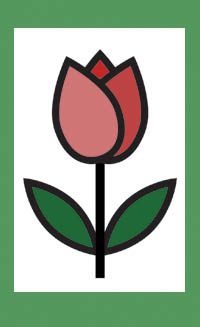
With a PNG, that box goes away, and the graphic is just placed over the background (provided that the graphic’s background is transparent). Many online stock photo sites sell images like this, and a graphic artist could easily adjust this for you.

Of course, this adds a new set of variables into our considerations. Let’s say our graphic has some dark elements like our flower does. These details will be harder to see over a black background:

You also need to consider this if the graphic is to be superimposed over another image. In these cases, the less “busy” your background, the better everything will translate.

This can leave you with a lot to think about, which is why we support going to a graphic designer for assistance if possible. Generally speaking, JPEGs will be used most often, while you’ll use a PNG anytime you need transparency.
Of course, there are other formats you can use. The WEBP format has some potential but is limited by its lack of wide scale browser support. SVG has also come in to challenge PNGs as the format of choice for simple graphics. Regardless, JPEG and PNG are safe bets for the time being.
If you’re now wondering how to get your image resized and scaled properly to use on the web, stick around… that’s precisely what our next blog will cover.


